
Inventory Management Software for Cafés
Beans, milk and bakery stock by recipe. Every sale, purchase, return and transfer moves stock automatically. Wanexo tells you what is running low, what is not selling and what is about to expire, and drafts the purchase order.
14-day free trial · no card · English and हिन्दी
What does inventory management software for cafés look like in Wanexo?
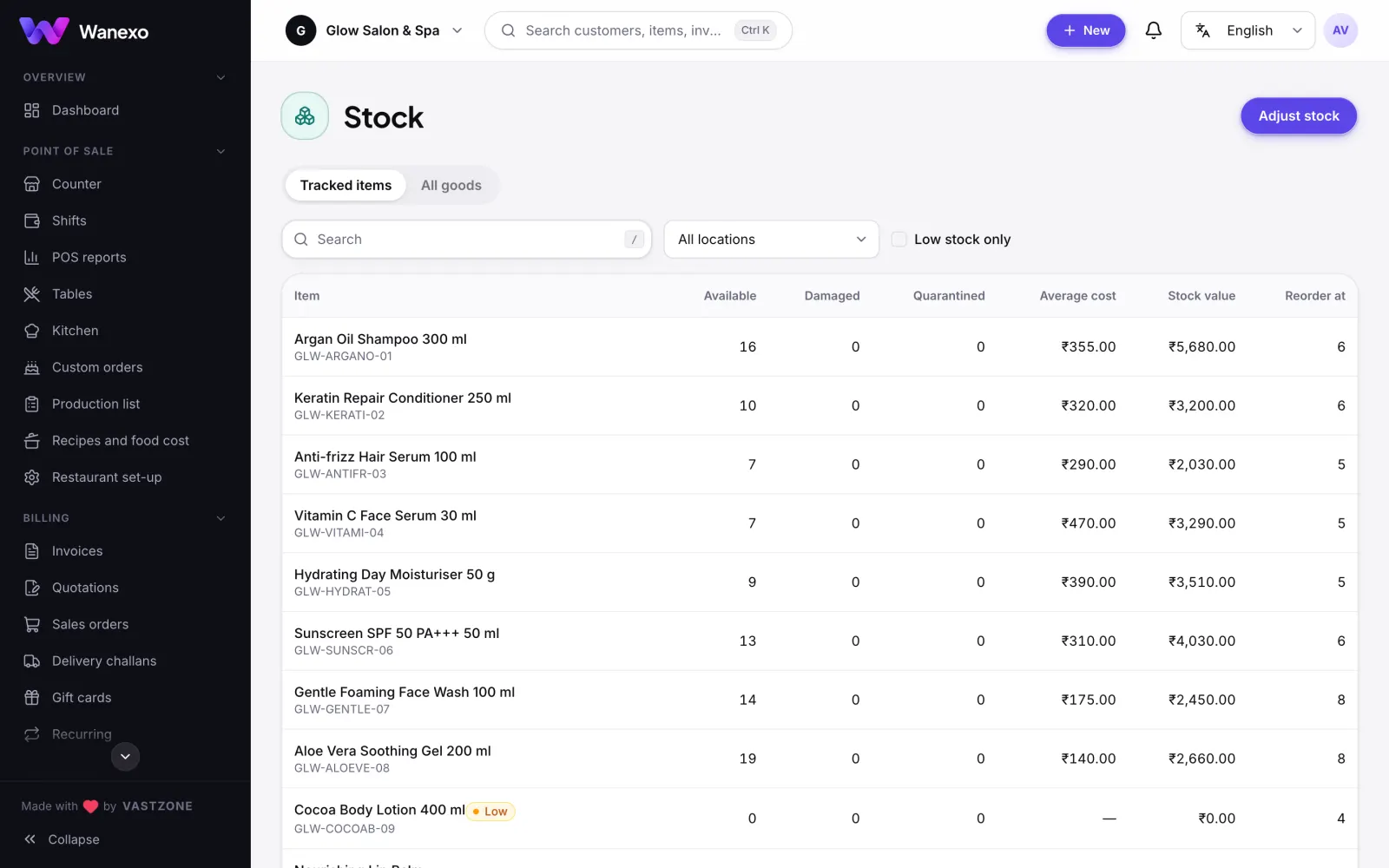
Inventory management software for cafés in Wanexo: Beans, milk and bakery stock by recipe. Low-stock alerts. Supplier bills and purchase orders. Wanexo's inventory management tracks stock by branch with batches and expiry dates, purchase orders, goods receipts, supplier bills, stock transfers and counts. Stock moves automatically with every bill, and its AI flags low stock, slow movers and near-expiry items and can draft a purchase order for approval.
Inventory
How cafés use it
- 01
Beans, milk and bakery stock by recipe.
- 02
Low-stock alerts.
- 03
Supplier bills and purchase orders.
What's included
Inventory that never lets you run out
Every sale, purchase, return and transfer moves stock automatically. Wanexo tells you what is running low, what is not selling and what is about to expire, and drafts the purchase order.
Stock by branch
See what is in each shop or store room, move stock between branches and count it with variance reports.
Batches and expiry
Track batch numbers and expiry dates, and see near-expiry stock before it becomes a loss.
Buying made simple
Purchase orders, goods received and supplier bills in one flow, with what you owe each supplier.
Low-stock alerts
Reorder levels per item and an AI alert with a ready-to-approve purchase order.
Labels and barcodes
Print price labels and barcodes, and sell with a scanner at the counter.
Kits and assemblies
Sell combos and make products from parts, with stock taken from each part.
One AI growth OS
More of Wanexo for cafés
Inventory works with everything else cafés run in Wanexo, so the AI sees the whole picture.
Questions
Does stock update when I bill?
Yes. Every sale, return, purchase and transfer moves stock automatically and is kept as a movement history you can audit.
Can I manage more than one branch?
Yes. Stock is kept per branch, with transfers between them and reports for each one.
Can I import my items?
Yes. Import items and opening stock from a spreadsheet (CSV), or add them as you go.
Is there a QR menu?
Yes. Guests scan to see your menu, with sold-out items hidden.
How much does Wanexo cost?
Plans start at ₹499 a month and go up to ₹1999 a month, before GST. Every plan includes every module and a 14-day free trial with no card needed.
Inventory management software for every business
Try inventory for your café free
Every module included from ₹499/month. 14-day free trial, no card needed.